How to create a form in 180+ languages, in under three minutes
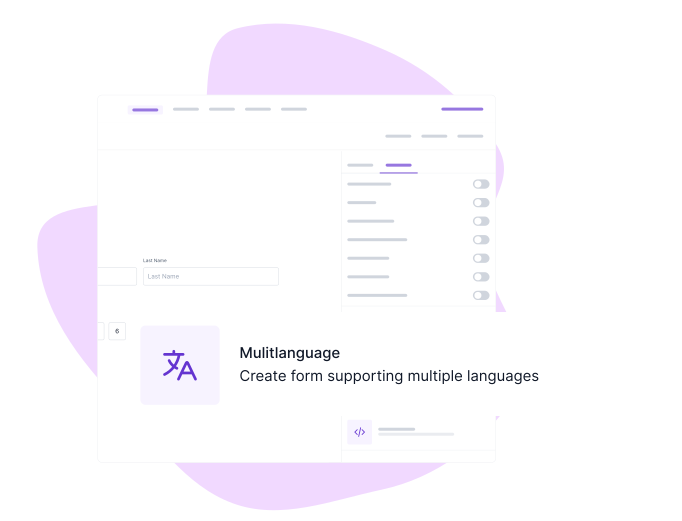
Write your form once. Formester drafts the translation with Google Gemini, you edit any line that doesn't sound right, and respondents pick their language at the top of the form. No separate forms per country. No copy-paste between Google Translate tabs.
Localized forms collect more responses. Here's the research.
Two numbers do most of the work for the multilingual decision.
+6 pp
Course completion rate after localization
A 90-day Articulate study found average course-completion rates rose from 77.4% to 83.4%, and median time-to-complete fell up to 50%. Forms behave the same way: when field labels read in the respondent's first language, abandonment drops at the field that previously confused them.
Source: Articulate, "How Does Localization Impact Training Outcomes? A 90-Day Study"
49.6%
Share of online content in English
English is 49.6% of online content but only ~17% of internet users are native English speakers. Mandarin is 1.2% of the internet against 1.1B+ speakers; Arabic is <0.5% against 310M speakers. Every form you ship in English alone is a form half your audience is rage-translating in their browser.
Source: LingoBright, Statista, 2026.
Trusted by leading organisations
Trusted by 56,000+ Businesses Creating Forms Worldwide
Top-rated on leading review platforms for ease of use, AI translation accuracy, and global-ready multilingual forms.
5/5
4.4/5
5/5
4.7/5
Why teams ship multilingual forms instead of separate forms per country
Break language barriers, increase form completions, and reach international audiences with AI-powered multilingual forms.
Reach a Global Audience
English is 49.6% of online content but only ~17% of internet users are native English speakers. Every form you ship in English alone is a form half your audience is rage-translating in their browser. Multilingual forms close that gap on the first impression
Lift completion rates by serving the user's first language
A 90-day Articulate study found localized course completion rose from 77.4% to 83.4%, with median time-to-complete falling up to 50%. Forms behave the same way. When the field labels read in the respondent's first language, abandonment drops at the question that previously confused them.
Save Time with AI Translation
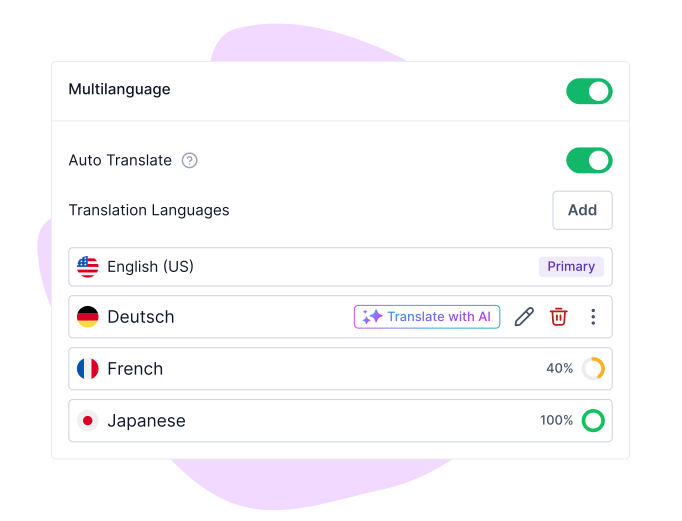
AI drafts the translation as soon as you click the language. You read it, fix the line that doesn't sound right, publish. No translator agency RFP. No copy-paste between tabs. The edit step stays in the form builder where you already work.
Test a new market without rebuilding the form
Add Spanish on Monday for a Mexico City pilot. Add Japanese on Wednesday when the Tokyo team picks it up. Same form, same submissions table, same dashboard. Kill a language with one click if the test doesn't land.
Work Better as a Team
Your French marketer reviews the French copy. Your Japanese CSM checks the Japanese. Comments and edits live in the form builder so the original author sees what changed and why. No Slack-thread of corrections.
Improve User Experience
A two-tap language switcher sits at the top of the form. The respondent never sees an English placeholder behind a translated label. Form fields, error messages, button labels, and the thank-you page all flip together.
How to create a multilingual form in 4 steps with Formester
STEP 1
Step 1: Open your form and click "Add languages"
Start by opening your form's advanced settings. Look for the "Multi-Language" option under “Form Control”
STEP 2
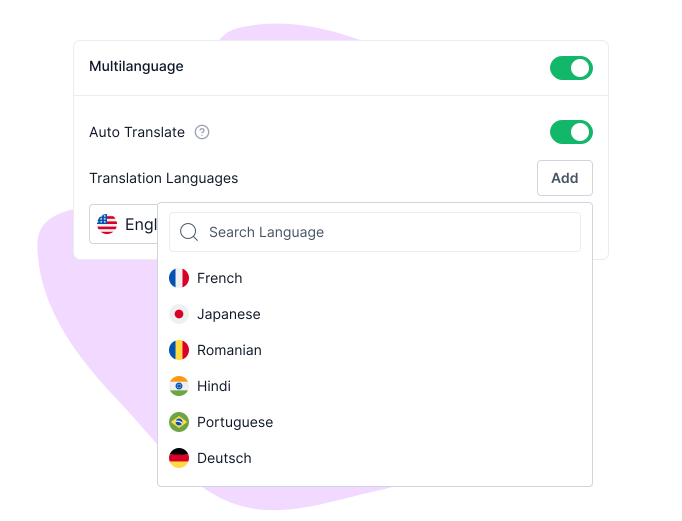
Step 2: Pick languages from the 180+ list
Choose the languages you want to add to your form. Add as many as you need to reach your audience.
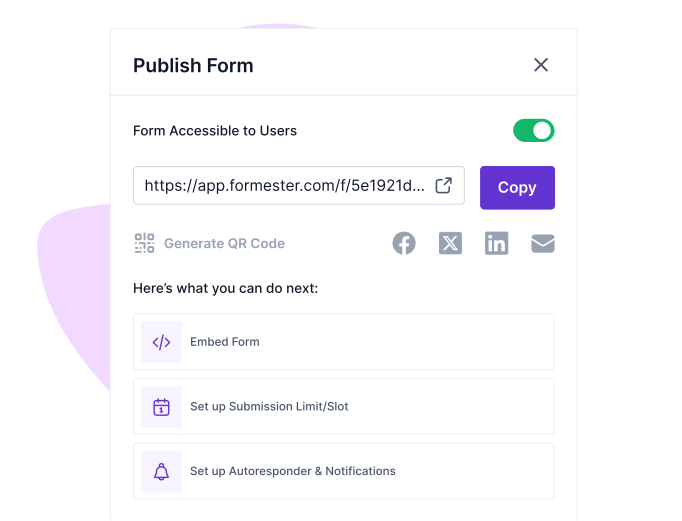
Step 4: Publish — the language picker goes live with the form
Save and publish your multilingual form instantly.
Languages
180+ languages. Including the ones that actually need extra work.
Most form builders that say "we support multiple languages" mean Latin-script European languages. The hard ones, right-to-left scripts, ideographic scripts, Indic scripts, are where translation tools fall apart. Formester handles all four families.
European & Latin (90+)
Spanish · French · German · Italian · Portuguese · Dutch · Polish · Romanian · Czech · Swedish · Norwegian · Finnish · Danish · Greek · Turkish · Russian · Ukrainian · plus 70+ more.
Latin, Cyrillic, and Greek scripts. Search by language name or country code.
Right-to-left (4)
العربية · עברית · فارسی · اردو
The form mirrors automatically: labels right-align, fields right-align, button order reverses, validation icons flip. No manual CSS.
CJK & East Asian (8)
中文 (简体) · 中文 (繁體) · 日本語 · 한국어 · Tiếng Việt · ไทย · Bahasa Indonesia · Bahasa Melayu
Unicode-compatible fonts fall back automatically. IME-friendly input.
Indic & African (50+)
हिन्दी · বাংলা · தமிழ் · తెలుగు · मराठी · ગુજરાતી · ਪੰਜਾਬੀ · ಕನ್ನಡ · മലയാളം · Kiswahili · isiZulu · አማርኛ · Hausa · Yorùbá · Igbo · plus 35+ more.
Devanagari, Bengali, Tamil scripts render correctly out of the box. Top 15 African languages by speaker count.
Verify before shipping: confirm RTL auto-mirroring and CJK font fallback with engineering. Soften any line that doesn't match production behavior.
Comparison
Formester vs Microsoft Forms vs Google Forms for multilingual
Microsoft Forms and Google Forms are where most multilingual-form searches start. Here's the honest delta.
Microsoft Forms hits an 11-language ceiling per form; Google Forms relies on the respondent's browser to translate. If a form has to ship in more than a handful of languages, or has to render in Arabic or Hebrew, the choice gets straightforward.
Built into the same form, not bolted on
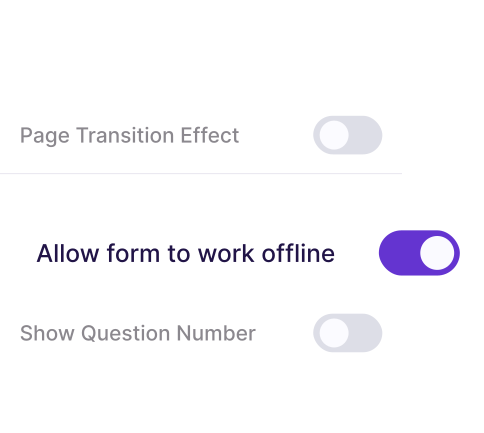
Offline Forms
Let users fill out forms even without an internet connection. Perfect for events, remote locations, or fieldwork.
Responses sync automatically once online, preventing data loss.
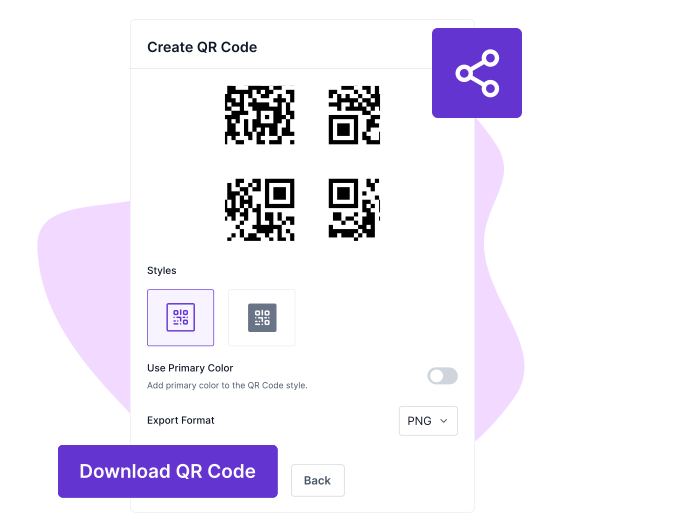
QR Code Generation
Easily generate a unique QR code for your forms. Share it digitally or print it for offline distribution.
Users scan the QR code to access forms in their language, improving participation.
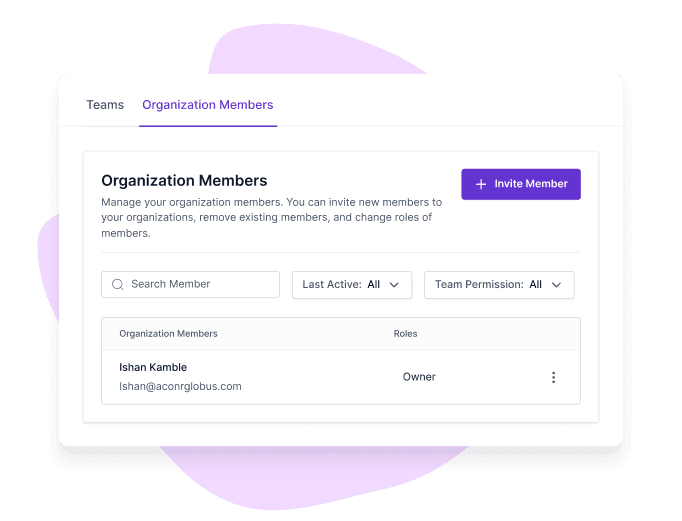
Multi-User Collaboration
Collaborate seamlessly with your team on form creation, translation, and management. Assign roles, track changes, and ensure multilingual forms are consistent and accurate.
Seamlessly collaborate with global teams on multilingual forms.
Where it ships
Where teams ship multilingual forms
Six teams, six concrete reasons to translate the form before sending it.
E-commerce, checkout & feedback
A returns form in Spanish, French, and Portuguese cuts dispute escalations because the customer reads the policy line in their first language before clicking submit.
A support form in 8 languages routes the ticket to the right agent based on the language tag on submission. No more "translate this and re-route" Slack threads.
Quarterly engagement surveys in the languages your team actually speaks. The Tokyo office answers in Japanese; the Berlin office in German; the dashboard merges.
Your translations are yours. We don't train on them.
The form copy you write, the AI-generated translations, and the responses respondents submit are all Customer Data. Per Section 4.4 of our Data Processing Addendum, Formester does not use Customer Data to train AI models, run advertising, run analytics, or feed marketing. The Google Gemini integration that drafts the translations inherits the same boundary.
Your account is encrypted at rest, responses move over TLS, and payment data carries an additional AES-256 layer through Stripe. We are GDPR, UK GDPR, and CCPA compliant, with EU-resident processing available on the Business plan. We are not SOC 2, ISO 27001, or HIPAA certified yet, and we say so on the security page rather than implying otherwise.
For builders
Your multilingual form data, ready for the AI you already use
Multilingual forms produce richer datasets, same questions, ten language signals. Pull them into your AI workflow without writing connectors.
MCP server
ClaudeChatGPTCustom agents
Ask your responses in plain English
Formester ships a Model Context Protocol server. Connect Claude or ChatGPT to your account in two clicks and ask: "Show me the top three sentiment themes from Japanese respondents this quarter." The MCP server reads your submissions live and returns the answer with citations to the rows it used.
Get an API token from app.formester.com/api, GET your submissions, filter by submission_language. Pipe French responses to your French CSM, Japanese to the Tokyo team, English to the rest. Per-language webhooks supported.
Your translations are yours. We don't train on them.
The form copy you write, the AI-generated translations, and the responses respondents submit are all Customer Data. Per Section 4.4 of our Data Processing Addendum, Formester does not use Customer Data to train AI models, run advertising, run analytics, or feed marketing. The Google Gemini integration that drafts the translations inherits the same boundary.
Your account is encrypted at rest, responses move over TLS, and payment data carries an additional AES-256 layer through Stripe. We are GDPR, UK GDPR, and CCPA compliant, with EU-resident processing available on the Business plan. We are not SOC 2, ISO 27001, or HIPAA certified yet, and we say so on the security page rather than implying otherwise.
"Tried like 4 quiz tools for our lead gen funnel before this and honestly this is the only one I didn't end up hating. AI did most of the work and the …"
Alex
Customer Success Manager
"Formester is simple enough for non-developers and sophisticated enough for developers. I'd say being able to choose between simplicity and complexity …"
Costanza Casullo
Volunteer
"I'm migrating my forms from Paperform, where I've been a user for over 4 years. Loving the software so far! I've already replaced Paperform form embed…"
Dr. Michele Ross
Founder
"Very intuitive and the surveys look genuinely professional out of the box. Most importantly, I requested a custom rating scale and they shipped it wit…"
Chris
Operations Lead
"Formester AI form builder has lots of customisation options. It's very easy to generate online forms. Forms generated are also very user friendly it s…"
Deepika K
Business Development Executive
"Tried like 4 quiz tools for our lead gen funnel before this and honestly this is the only one I didn't end up hating. AI did most of the work and the …"
Alex
Customer Success Manager
"Formester is simple enough for non-developers and sophisticated enough for developers. I'd say being able to choose between simplicity and complexity …"
Costanza Casullo
Volunteer
"I'm migrating my forms from Paperform, where I've been a user for over 4 years. Loving the software so far! I've already replaced Paperform form embed…"
Dr. Michele Ross
Founder
"Very intuitive and the surveys look genuinely professional out of the box. Most importantly, I requested a custom rating scale and they shipped it wit…"
Chris
Operations Lead
"Formester AI form builder has lots of customisation options. It's very easy to generate online forms. Forms generated are also very user friendly it s…"
Deepika K
Business Development Executive
"Tried like 4 quiz tools for our lead gen funnel before this and honestly this is the only one I didn't end up hating. AI did most of the work and the …"
Alex
Customer Success Manager
"Formester is simple enough for non-developers and sophisticated enough for developers. I'd say being able to choose between simplicity and complexity …"
Costanza Casullo
Volunteer
"I'm migrating my forms from Paperform, where I've been a user for over 4 years. Loving the software so far! I've already replaced Paperform form embed…"
Dr. Michele Ross
Founder
"Very intuitive and the surveys look genuinely professional out of the box. Most importantly, I requested a custom rating scale and they shipped it wit…"
Chris
Operations Lead
"Formester AI form builder has lots of customisation options. It's very easy to generate online forms. Forms generated are also very user friendly it s…"
Deepika K
Business Development Executive
Ready to build your perfect form?
Get access to advanced AI, unlimited forms & more. See pricing for more details.
Find answers to common questions below, or reach out to our team for more help.
Multilingual forms are online forms that allow users to view and complete the form in their preferred language. Instead of creating separate forms for each language, one form can support multiple languages using AI translation.
You create your form in one primary language, select additional languages, and enable AI auto-translation. The system translates your form fields, labels, and messages instantly. Users can then switch to their preferred language while filling out the form.
AI translation provides high-quality, context-aware translations for most use cases. You can review and edit any translated text to match your tone, industry terminology, or local preferences before publishing.
Yes. You can add multiple languages to a single form. Users can select their preferred language from a language switcher, making the form accessible to a wider audience.
No. Translation only affects text content such as labels, placeholders, and messages. Your layout, branding, and styling remain unchanged across all languages.
Yes. Multilingual forms are fully responsive and work on desktops, tablets, and mobile devices. Users can switch languages easily on any screen size.
You can share your multilingual form using a direct link, embed it on your website, or distribute it via email and social media. Users can choose their language after opening the form.
Yes. You can invite team members to edit, review, and manage translations. This helps maintain consistency across languages and ensures accurate messaging for global audiences.
Multilingual forms are a single form with translations attached. The respondent picks their language and the labels, placeholders, errors, and thank-you page flip together. One submissions table holds all responses, tagged by the language the respondent chose. One form per language means N copies of the form to maintain, N edits every time you change a question, and N submissions tables to merge before reporting.
AI drafts every label, placeholder, validation message, and button as soon as you select a language. For a typical contact or feedback form (10–15 fields), the draft is ready in 5–10 seconds per language. You then edit any line that needs a tone fix. Two-language forms ship in under three minutes end to end; ten-language forms in under fifteen.
Yes. Every translated line is editable. Click into any field on the translated language and overwrite the AI draft. The original English stays as the source of truth, so the next time you change a label, only the changed line needs re-checking. Translations you've edited are not overwritten by re-runs.
The form opens in the default language you set (usually the language the form was authored in). A language switcher sits at the top of the form so the respondent can switch to their preferred language with one tap. Browser-detection-based defaults are on the roadmap for now, you can also pre-select a language via a URL parameter (e.g., ?lang=es) for emails sent to a specific country segment.
180+ languages, including all major European languages (Spanish, French, German, Italian, Portuguese, Dutch, Polish, Swedish), CJK (Chinese simplified and traditional, Japanese, Korean), right-to-left scripts (Arabic, Hebrew, Persian, Urdu), Indic (Hindi, Bengali, Tamil, Telugu, Marathi, Gujarati), Southeast Asian (Thai, Vietnamese, Indonesian, Malay, Tagalog), and African languages (Swahili, Zulu, Amharic). Search by language name or country code to find one quickly.
Right-clicking and letting Chrome translate the page works for reading but breaks form submission. Field validation messages stay in English. Required-field errors don't translate. Placeholder text often translates inconsistently. The submission lands in your dashboard with the field names mangled. A purpose-built multilingual form keeps validation, errors, and submission integrity intact in every language.
Yes. AI translation, language picker, and respondent-language tagging are on the Free plan (unlimited forms, unlimited responses). Branding removal and conditional logic move you to Personal at $13/mo. API access and PDF exports are on Business at $49/mo. See pricing for details.