TRY IT NOW. NO SIGN-UP REQUIRED.

The Free Poll Maker that Creates Engaging Polls in Seconds.

Type your question, drop in your answers, and ship a poll in under a minute. Free for 100 responses a month, every plan after that scales by response count, not feature lock-out. Live results, QR sharing, six embed modes, all on the free tier.

Peabody
Aramark
Loreal
Toptal
Grab
SFU
World of Hyatt
Iolani School
Austin Independent School District
Virgin

Trusted by 56,000 Businesses Across the Globe

5/55 stars
4.4/54.5 stars
5/55 stars
4.7/54.5 stars

Benefits of Using Our Free AI Poll Maker

Create and manage engaging online polls with powerful AI features, easy customization, and detailed analytics. Formester’s free AI poll maker helps you design, share, and track polls effortlessly for better engagement and smarter decisions.

star icon

AI-Powered Poll Creation

Let AI build your poll questions instantly. Save time and create smart, relevant polls without starting from scratch.

star icon

Custom Branding

Customize your online polls with your logo, brand colors, and styles to maintain a consistent and professional look.

workflow icon

Advanced Features

Use logic-based question branching, response limits, and form control to build smarter polls.

share icon

Easy Sharing Options

Share your AI-generated polls via link, social media, embeds, or QR codes for faster responses.

user icon

Team Collaboration

Invite others to build, edit, and review polls together. Perfect for teams and agencies.

analytics icon

In-Depth Poll Analytics

Track response rates, drop-offs, and completion data to improve future polls.

Why teams pick this poll maker over Google Forms.

A poll has to do three things: get answers fast, get them from the right people, and get them where you can act on them. Here's what that looks like, in order.

Live tally that updates as votes come in.

Watch the result chart shift in the dashboard as people respond. No refresh, no waiting. The same view works on a meeting screen during a live event, on the host's phone after the event, and inside an embedded report you ship to a stakeholder.

Six ways to share, including the one your audience uses.

Public link, QR code, six embed modes (inline, popup, sidebar, side tab, popover, fullscreen), and native shares to Website, Email, Shopify, WordPress, Webflow, Canva, and Wix. Pick the one that matches how your audience already opens links.

Cap responses, lock by IP, or close on a deadline.

A free poll with no controls is a free poll that gets brigaded. Set a hard response cap, restrict by IP or email so the same person can't vote twice, schedule open and close times, or password-protect the link. The free plan includes all four.

How to Create an Online Poll with Formester in Four Steps

Create and launch a professional online poll in minutes using Formester’s AI poll maker. Start with AI or templates, customize your poll design, and begin collecting responses without any coding.

STEP 1

Type your question or paste your topic

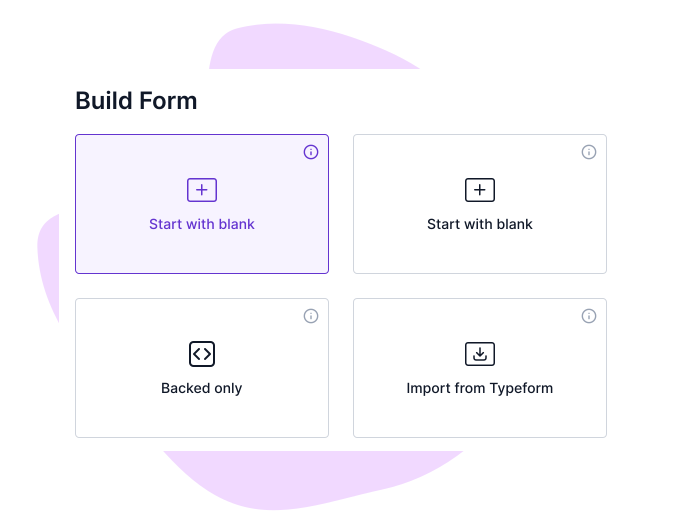
Use the inline builder above, drop a prompt into the AI generator, or start from a poll template (CSAT, NPS, event feedback, team pulse, brand awareness). The AI fills in answer options that you can edit, reorder, or replace.

Navigate to “Create with AI” Tab

STEP 2

Set the rules

Pick the question type, decide if responses are anonymous, cap the response count, set a close date, and choose whether to show live results to voters. None of this needs a paid plan

Describe your Form

STEP 3

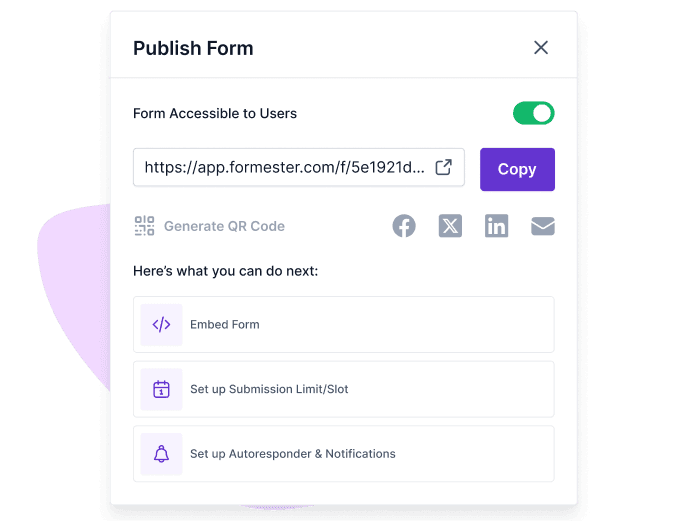
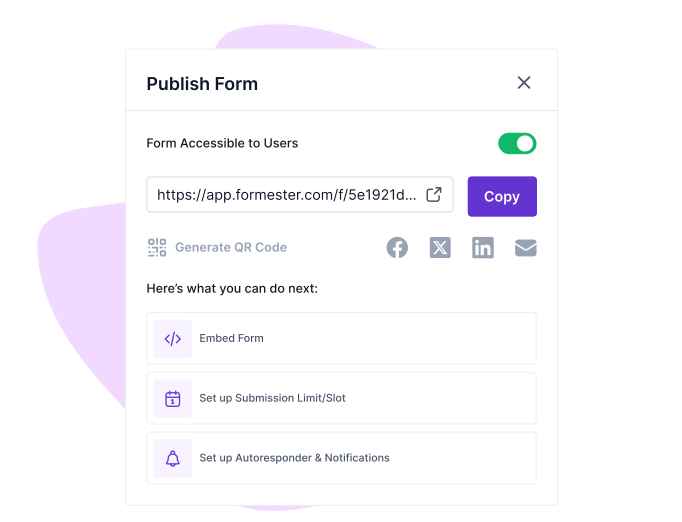
Publish or Share by link, QR, or embed

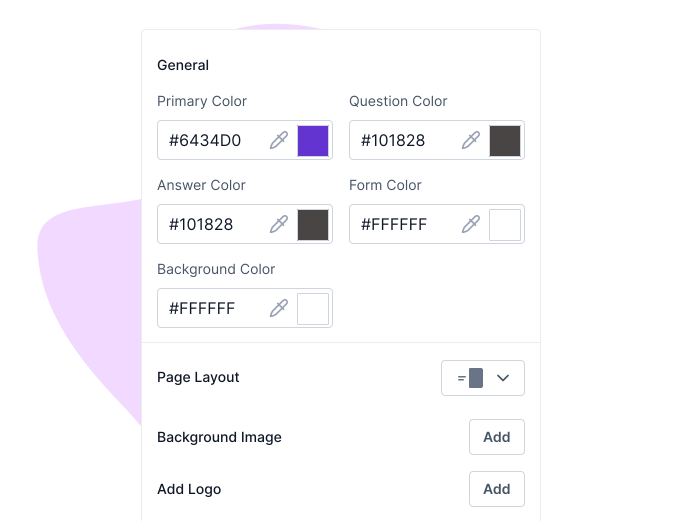
Copy the public link, download a QR code in JPEG, SVG, or PNG, or grab one of six embed snippets to drop into your site, your slide deck, your help-center article, or your email.

Customize Your Form

STEP 4

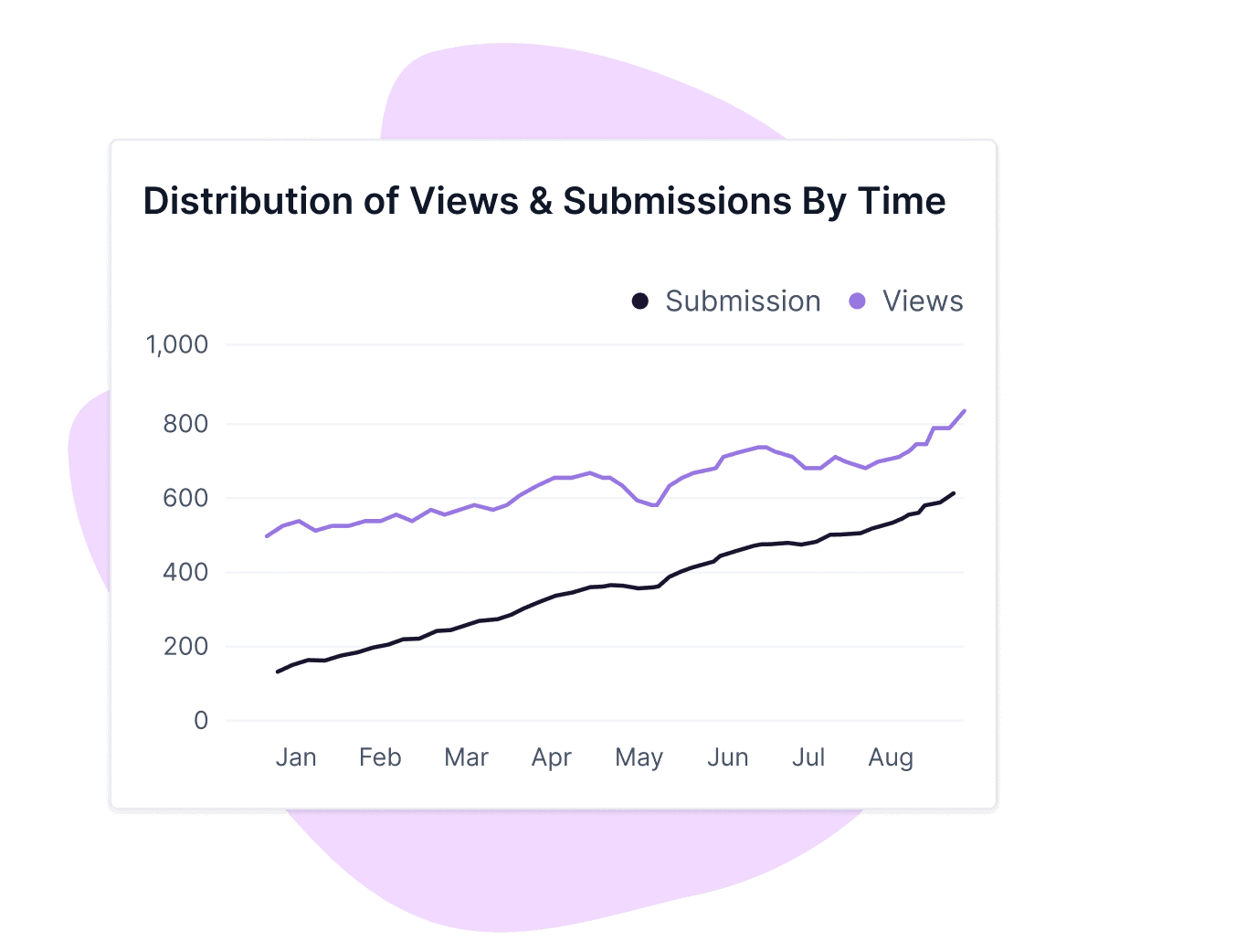
Analyze the results and act on it

Open the dashboard, see response counts and a chart per option update in real time, filter by date or referrer, mark spam, export to CSV, or push to HubSpot, Google Sheets, Slack, or your CRM via Webhooks.

Share & Collect Responses

Built for the polls you actually run.

A free poll maker is only useful if it fits the way your team already works. Six common patterns we see, and the people who run them.

Marketers running quick-feedback polls.

Test a tagline, a feature name, or which of three landing-page hooks to ship. One question, three options, link in a tweet or LinkedIn post, results in an hour.

Event hosts running live audience polls.

Project a QR code on the screen, let attendees vote from their phone, show the live tally as the slide updates. Works for keynote Q&A, breakout votes, and end-of-session feedback.

Customer-success teams running NPS and CSAT polls.

Send a one-tap link after a support ticket closes, after onboarding, or after a renewal call. Score lands in the dashboard, optional follow-up question fires only if the score drops below 7.

Product managers running feature-vote polls.

Drop a poll into a release-notes email or community forum. Five candidate features, voters rank them, results push straight to the planning doc via Webhooks.

Internal-comms teams running pulse polls.

Two questions, anonymous, sent every Friday. Embed it in the company intranet, restrict by email domain, watch trends across weeks in the analytics tab.

Educators running classroom polls.

One question per slide, multiple choice or rating. Students scan a QR code on the projector, vote from any device, the teacher sees the answer distribution in real time.

Your poll data, your data

Run a poll that stays a poll.

When you collect votes, the votes belong to you. We do not use Customer Data to train AI models, target advertising, run analytics, or improve our product. That commitment lives in our Data Processing Agreement, Section 4.4, and it covers the AI question generator the same way it covers form submissions.

Polls are encrypted in transit with TLS, payment data (if you charge to enter a poll) is encrypted with AES-256 at the Stripe layer, and the database runs on Heroku with primary-and-standby failover and 90-day encrypted backups. The infrastructure is GDPR, UK GDPR, and CCPA compliant.


Free poll maker vs. a paid survey tool.

Most "free poll" pages on the SERP are either zero-feature widgets or full survey tools with a paid wall around them. Here's the honest comparison.

What you need Free poll maker (Formester) Widget-only tool Paid survey tool, free tier
Build a poll without sign-up to preview Yes, on this page Yes Usually no, sign-up first
Free monthly responses 100, all plans 100 to 200 typical 10 to 50 typical
AI question generator on free Yes No Rarely
Embed the poll in your site 6 modes (inline, popup, sidebar, side tab, popover, fullscreen) 1 mode 1 to 2 modes
QR code per poll (JPEG / SVG / PNG) Yes Sometimes Rarely on free
Cap responses, restrict by IP, password-protect All three on free No Usually paid
Live results visible during voting Yes Yes Usually no on free
Native HubSpot / Sheets / Slack / Stripe / Webhooks Yes, on free No Paid only
AI agent / MCP server access Yes, Business plan and above No No

Build Advanced Polls

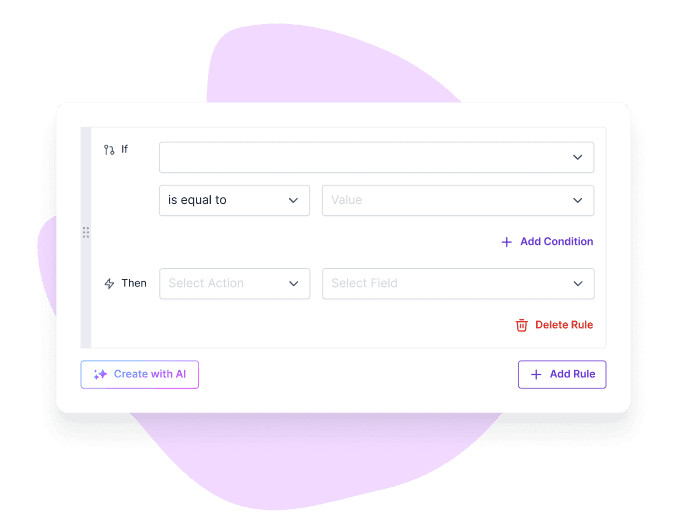
Question Branching

Use conditional logic to guide users based on their responses. Create personalized poll paths, show relevant questions, and collect more meaningful insights with smarter online polls.

formester's conditional logic ui

Partial Submission Recovery

With partial submission turned on, you can see users’ responses even if they don’t finish the poll. This means you won’t lose valuable data from those who leave early. You get a more complete picture of what people think, without missing out on answers.

formester's partial submissions ui

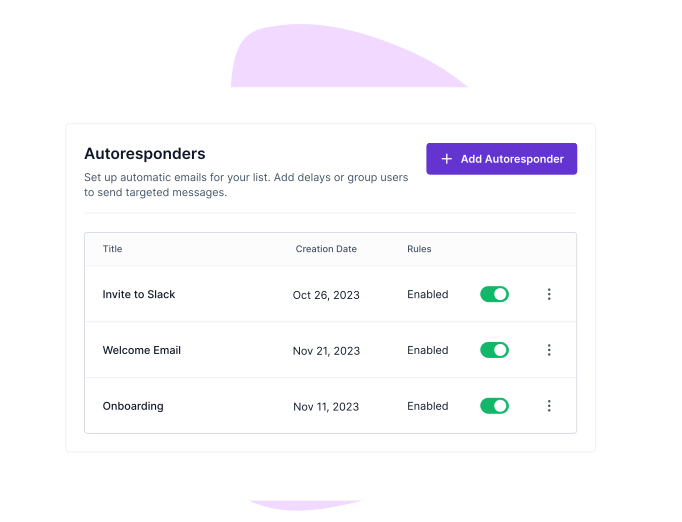
Email Autoresponder

Send automatic emails after someone submits a poll using email autoresponder. Thank them for their participation or share follow-up information. This is an easy way to stay connected and improve engagement with your audience.

formester's email autoresponder ui

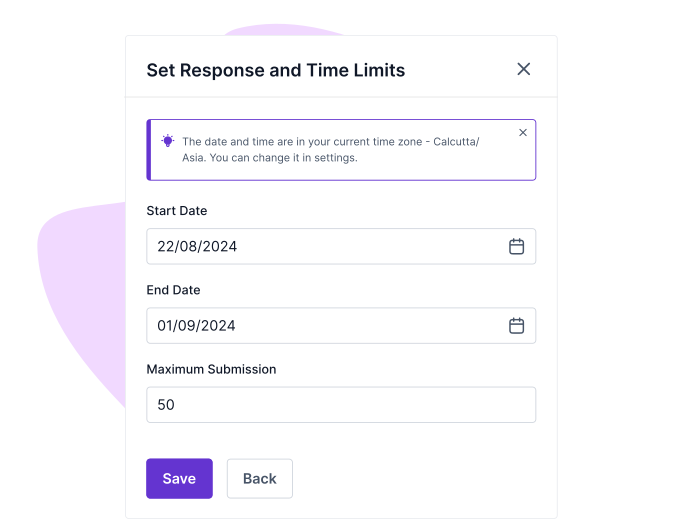
Form Limiter

Set time and response limits using Form limiter on your online polls. This will help when you’re running time-sensitive or exclusive polls. Set a response cap to maintain control and collect only the data you need.

formester's form limiter ui

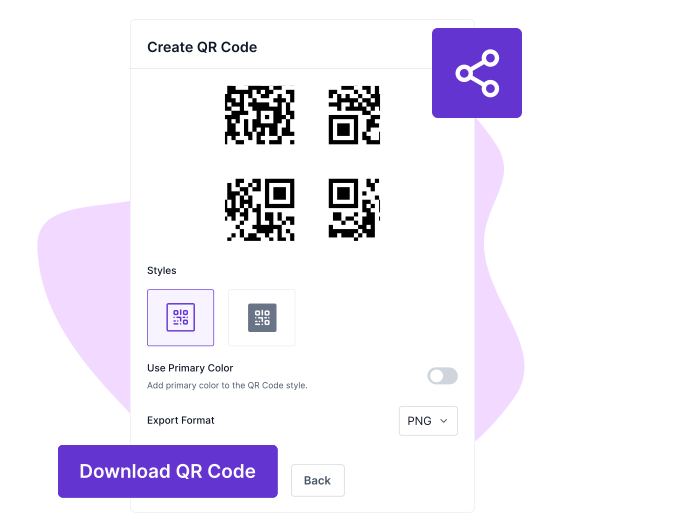
QR Code Generation

Download a QR code in JPEG, SVG, or PNG, recolor it to your brand, drop it on a slide, a printed flyer, or a packaging insert. The same poll URL backs every QR, so the analytics tab knows which version pulled the votes.

formester's qr code generator ui

See it work on three real polls.

Three teams that ran a poll on Formester last quarter, and what they got back.

Customer success

Post-renewal CSAT

Source: Customer-success team, B2B SaaS

Output: 1 question, optional comment, anonymous

5 questions 45 sec to complete
Q1
How would you rate the renewal call? (1 to 5 scale)
Q2
Anything we should have done differently? (open text, optional)
Q3
Would you recommend us to a peer? (yes / no / not sure)
2 more conditional questions
Use this template →
Live event

Live-audience pulse

Source: Marketing team, virtual conference host

Output: QR projected on stage, live tally shown to room

3 questions 30 sec to complete
Q1
Which of these features matters most to you? (3 options, multiple choice)
Q2
How likely are you to use what we showed today? (1 to 10 scale)
Q3
Want a recording? (yes / no, captures email)
Real-time chart on screen
Use this template →
Internal comms

Friday pulse

Source: Internal-comms team, 80-person engineering org

Output: Embedded in intranet, restricted by company email

2 questions 20 sec to complete
Q1
How was your week? (good / neutral / rough, anonymous)
Q2
Anything blocking you? (open text, optional)
Trend chart over 12 weeks
Use this template →

What this poll maker accepts, what it produces, and where it ships.

Scannable reference. Use it before you commit a free tier you'll outgrow.

Inputs What you can put in

A text prompt to the AI, a paste-list of questions you wrote, a PDF (up to 100 MB on free), or a starting template from the library.

Prompt Paste list PDF Template
Question types What the poll can ask

Single choice, multiple choice, dropdown, true/false (delivered as single choice), rating (1 to 5 / 1 to 10), ranking, open text. Picture choice and matrix choice exist as manual fields (the AI does not auto-generate them).

Single Multi Dropdown Rating Ranking Open text
Sharing How you share it

Public link, QR code (JPEG / SVG / PNG), six embed modes (inline, popup, sidebar, side tab, popover, fullscreen), and native shares to Website, Email, Shopify, WordPress, Webflow, Canva, and Wix.

Link QR Embed x 6 Native x 7
Integrations What you can connect

Native HubSpot, Salesforce, Google Sheets, Slack, Stripe, PayPal, Calendly, n8n, Pabbly, OttoKit, Webhooks (3 events), GA4, GTM. Plus Zapier for 1,000+ additional apps.

HubSpot Sheets Slack Stripe Webhooks Zapier
Agents + API

Your poll data, ready for the AI you already use.

Most poll tools end at the dashboard. Formester ships an MCP server and a public REST API so the agent you already trust can read poll responses, file new tickets, or push results into the rest of your stack.

MCP server

Connect Claude or ChatGPT to your poll data.

Claude ChatGPT Custom agents

Hand the agent a token with the right scopes. Ask it to summarize last week's pulse poll, flag the comments that mention "burnout", or compare CSAT scores across two segments. The agent reads through the same scopes the API uses, so what the agent sees is what you've authorized.

Read the MCP docs →
REST API v2

Push and pull poll responses programmatically.

Self-service token Org-level scope Business plan and above

Pull poll submissions, push pre-filled poll URLs, trigger webhooks on submission events. Token issuance is self-service inside app.formester.com/api. v1 (form-level) is deprecated; v2 (org-level) is the path forward.

Read the API docs →
Quote icon

USER TESTIMONIALS

Testimonials

Quotation marks

I really enjoy Formester. It’s clean and straight-forward and it does well, what it is supposed to do.

a photo of thibaud martinez
Thibaud MartinezOrganiser at Tedx
Quotation marks

Formester is really easy to use and an exceptional alternative for Typeform. We use it for call for papers, lead registrations, feedback and surveys and it cannot be simpler.

photo of jilson
JilsonOrganiser at Vue Conference
Quotation marks

Formester is simple enough for non-developers and sophisticated enough for developers. I'd say being able to choose between simplicity and complexity is one of this product's strengths. In addition, the founder is available to answer questions and doubts, which does not happen every day.

a photo of costanza casullo
Costanza CasulloVolunteer at Wato Coding Hub
Quotation marks

I was searching for a long time for a product I could use to send newsletters and surveys to my database. I tried so many different types of software and I found many of them difficult to use and slow to learn how to operate. But Formester was super easy to set up, and the usability is seamless! I highly recommend!

a photo of deanna bugalski
Deanna BugalskiFounder/CEO at Suggesterfy

Ready to build your perfect form?

Get access to advanced AI, unlimited forms & more. See pricing for more details.

FAQs

Yes. The free plan covers 10 forms (polls included) with up to 100 responses a month, all field types, the AI question generator, and the live results dashboard. Formester branding shows on free polls; branding removal starts at the Personal plan ($13/month).

You can build and preview a poll inline on this page without an account. Publishing the poll (so others can vote) requires a free account so we can hold the responses against your dashboard. Sign-up takes about 20 seconds and never asks for a credit card.

00 responses a month across all your polls and forms combined. There is no per-poll cap on the free tier. If you outgrow 100, the Personal plan ($13/month) covers higher response volumes.

Six ways. A public link, a downloadable QR code (JPEG, SVG, or PNG), six embed modes (inline, popup, sidebar, side tab, popover, fullscreen), and native shares to Website, Email, Shopify, WordPress, Webflow, Canva, and Wix.

Single choice, multiple choice, dropdown, true/false (delivered as single choice with True and False options), rating (1-5 or 1-10), ranking, and open text. Picture choice and matrix choice exist as manual fields you add yourself.

es. Anonymous mode is a one-toggle setting. No IP, no email, no identifier saved with the response. You can also run the poll non-anonymously and require an email field if you want to follow up.

Yes. The live-results toggle shows the running tally to each voter immediately after their vote. The dashboard updates in real time on your end without a refresh.

It works for async audience polls (publish a QR, attendees vote, results land in the dashboard). It is not a live-presentation polling tool like Slido. If you need vote results to drive a slide transition during a live talk, Slido and Mentimeter are the right shape; if you need a fast audience poll the host can read on a phone, Formester is.

Yes. Native integrations for HubSpot, Salesforce, Google Sheets, Slack, Stripe, PayPal, Calendly, n8n, Pabbly, Webhooks (three events), GA4, and Google Tag Manager. Plus Zapier for 1,000+ additional apps. Webhooks fire on every new vote.

AI translation covers 180+ languages. Manual translation is available field by field if you want word-perfect copy. Same poll, multiple language variants, one dashboard.