Ready-made layouts
Document layout lists every question and answer in order. Form Layout prints your form as the respondent saw it, filled in. Nothing to design.
Default PDF type
Document layoutForm Layout
Form to PDF with no setup. Each response becomes a clean PDF you can download from Results, attach to emails, or send to Google Drive and your webhook. Need your own branded layout? Design it once in the PDF Editor.
Included in the Business plan, from $45/mo
















Use a ready-made layout today, or design your own PDF when the document needs your brand.
Document layout lists every question and answer in order. Form Layout prints your form as the respondent saw it, filled in. Nothing to design.
Build a contract, invoice, or certificate with your logo and layout. Each submission fills it in and goes out through the same channels.
The same Client intake submission, downloaded in each PDF style. No template needed for the first two.
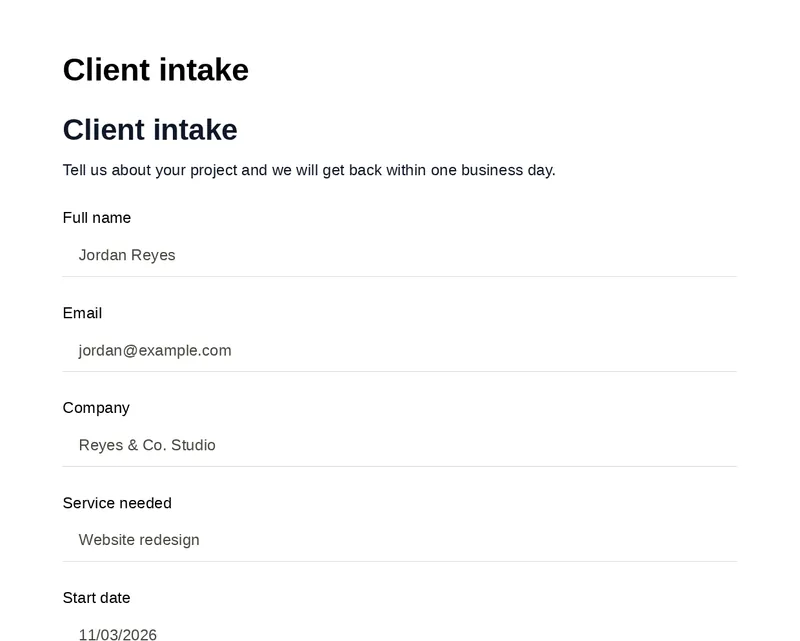
Each question and its answer in order. A clean record for your files.
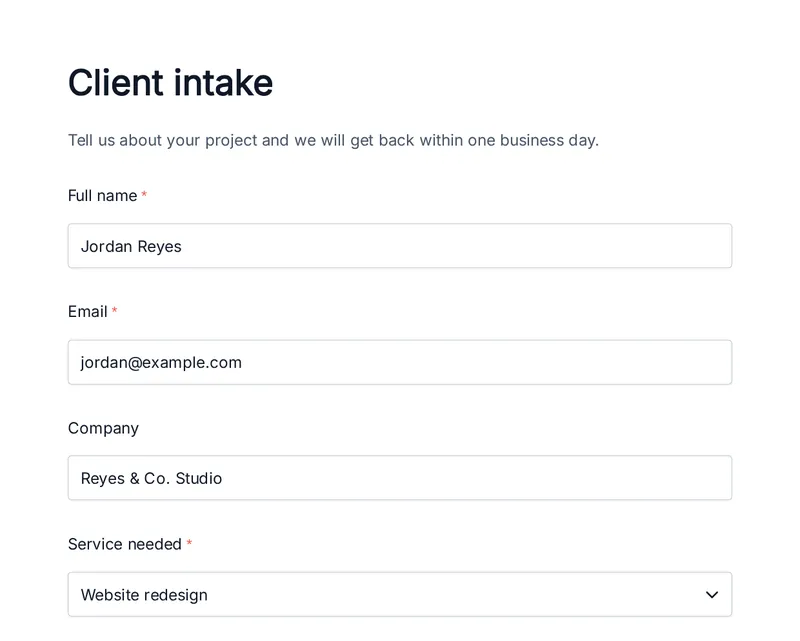
The form as the respondent saw it, with their answers filled in.
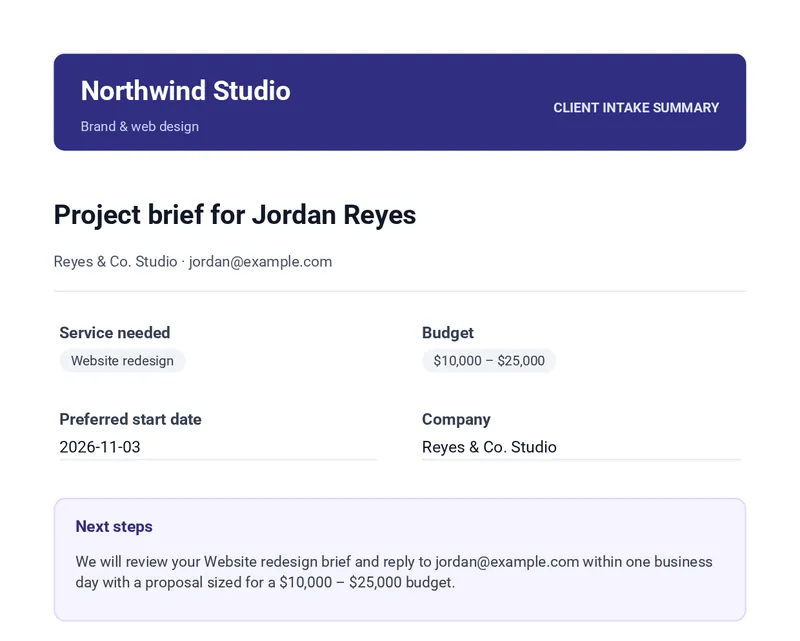
A branded template built in the PDF Editor, filled with the same answers.
No template to build. Formester lays out each response for you, and you decide where the PDF goes.
Publish your form, or send a test entry. Every submission lands in your form’s Results.
In form settings, set the default PDF type to Document layout or Form Layout. You can also change the style each time you download.
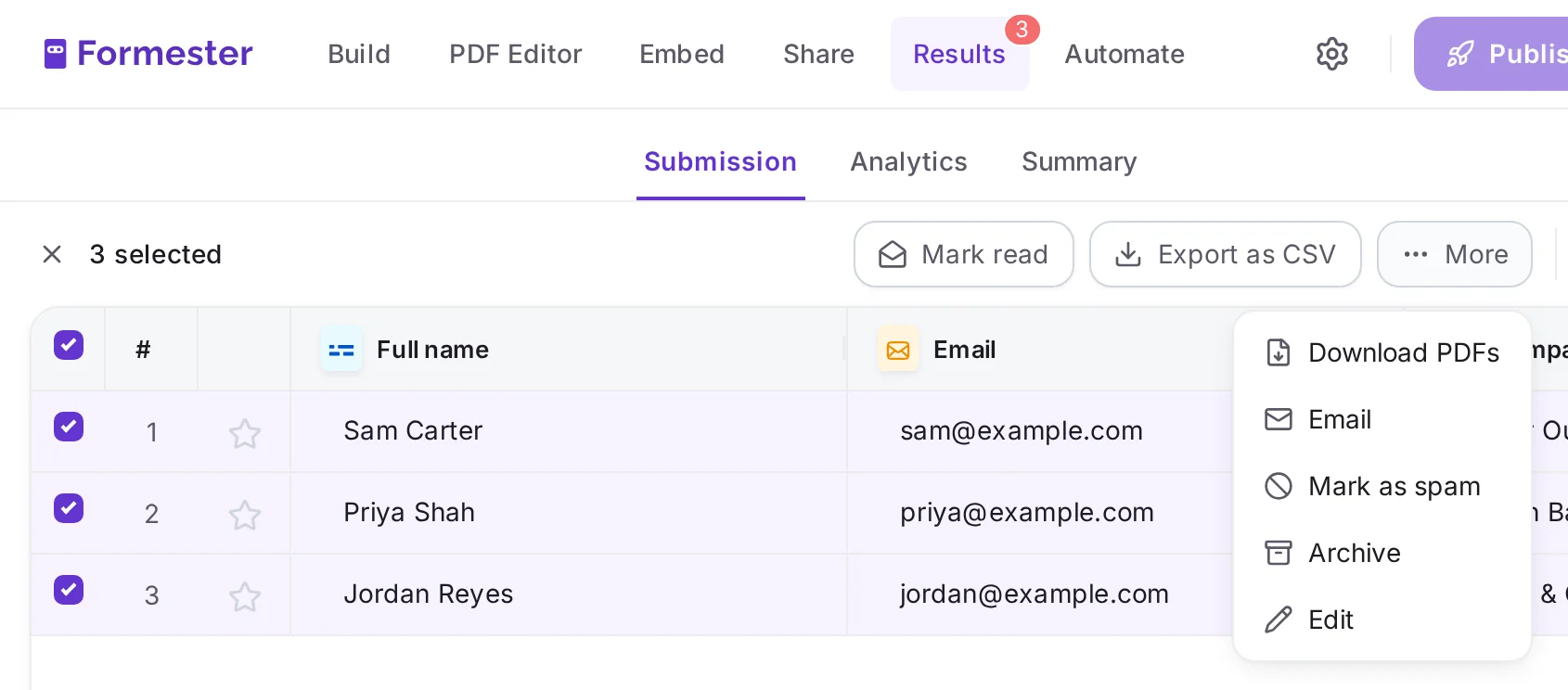
In Results, choose Download as PDF from any submission’s menu. Or select several and choose Download PDFs. We email you a download link when they are ready.
Attach the PDF to your notification email or the autoresponder, save it to Google Drive, or add a PDF link to your webhook.
Pick a PDF style wherever Formester sends or stores a submission. The PDF is generated at that moment.
Turn on “Attach Form Submissions as PDF” and your team gets the PDF with every new response, named the way you set.
Attach the PDF to the autoresponder, so everyone who submits keeps a record of what they sent.
Turn on “Let respondents download a PDF” to show a download button once the form is sent.
Attach the submission PDF in a Send email step, after an approval, a condition, or a delay.
Save each PDF to a Drive folder, with a subfolder per submission if you like. Past submissions can be uploaded too.
Webhooks can include a link to the PDF, so your CRM or backend can fetch it. The link works for 7 days.
A few form settings decide what goes into each PDF and what the file is called.
Use @ to build file names from the response, like “Invoice for @Name”, so every PDF is easy to find later.
Fields hidden by your form logic stay out. Choose to show all options of a field, hide the form name, or hide variables like the quiz score.
Turn on “Sign PDF” to add a Formester digital certificate to exported PDFs, so recipients can see where the file came from.
When a plain record is not enough, build a branded template in the PDF Editor on the same form. Choose “Connected PDF” as the style, and every channel above sends your design instead.
Add your logo, headings, and any form field, then style each one. Long answers and tables flow onto the next page.
See the PDF EditorUpload a PDF you already have as the base, then place answers and images where they belong.
Some form templates come with a branded PDF already connected, such as contracts, NDAs, and quotes.
Browse templates with a PDFAnywhere a response needs to live as a document: filed, shared, or sent back to the person who filled it in.
Every customer gets their order details as a PDF in the autoresponder, without anyone copying them out.
Save a PDF of each application to Google Drive, one folder per applicant, ready for review.
A signature drawn on the form appears in the PDF, so each signed consent is a complete record.
Consent formsChecklist answers and uploaded photos come together in one PDF per visit.
Inspection form builderKeep a printable record of every attendee, or download all registrations as PDFs before the event.
The Document layout can include the quiz score, so each person’s result is on file.

"The submission results page is nicely laid out as a table of entries … PDF and emailing options are solid and easy to use."
"Formester is a single, drop-in, full-service form-to-email solution that provides all the functions my website requires."
"The response section is also well organised, with individual submissions, summaries, and analytics in one place. … I also get an email notification as…"
Find answers to common questions below, or reach out to our team for more help.
Publish a form, collect a response, and download it as a PDF or send it on automatically.