Free Microsoft Forms alternative that does not need Microsoft 365

Microsoft Forms is locked behind Office 365. Formester is free, standalone, and ships AI form generation, conditional logic, payments, and offline forms on day one.

Get Started - it's Free
tick100 free responses every month
tickConditional logic on Personal
tickFree AI form generator on every plan
tickTrusted by 56,000 Teams

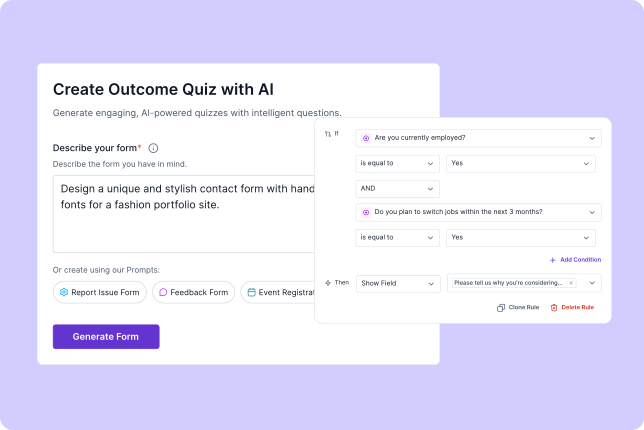
Build complete forms in seconds

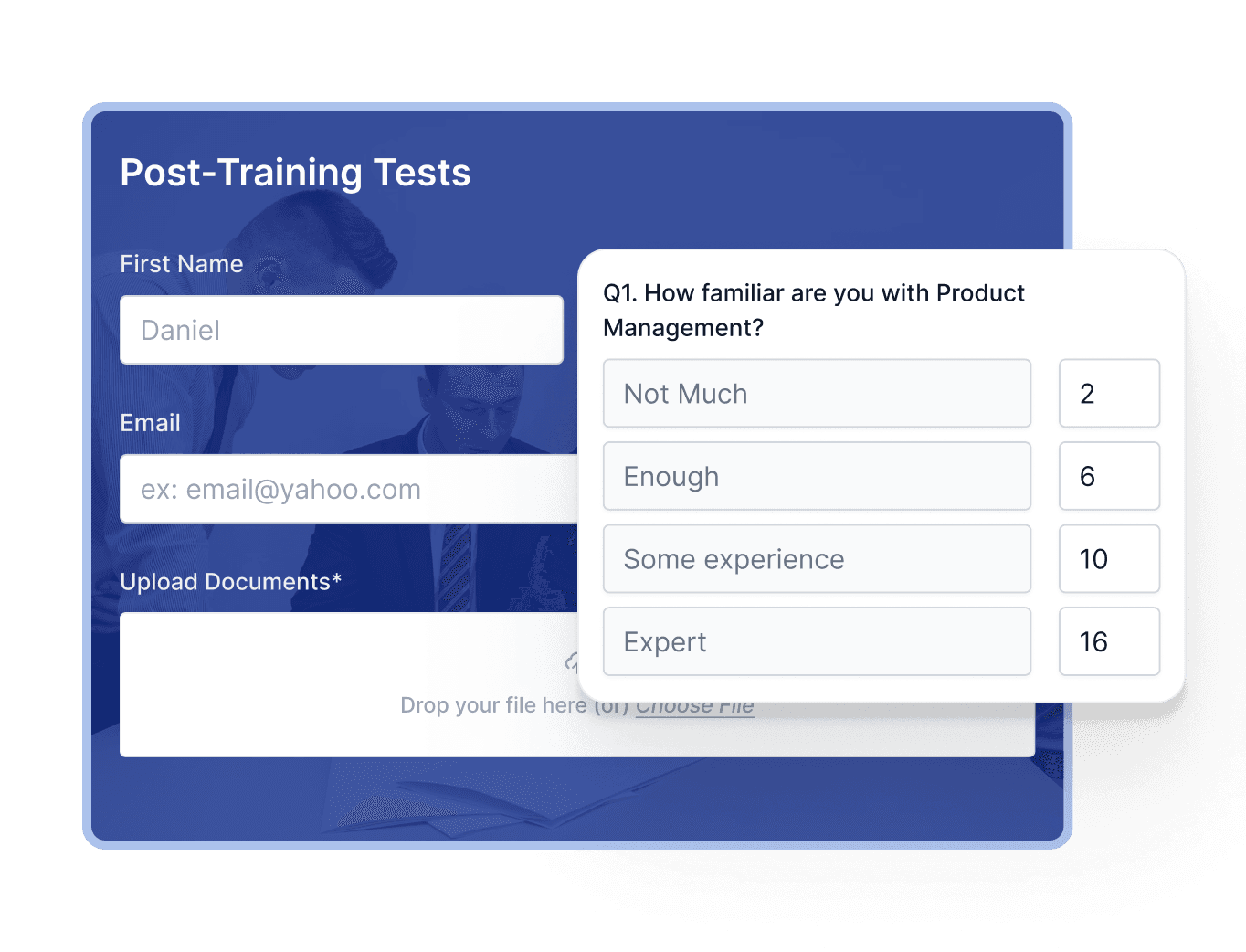
  • Create forms, surveys, and quizzes in seconds using AI. icon Create forms, surveys, and quizzes in seconds using AI.
  • Drag and drop fields, add logic, and customize layouts instantly. icon Drag and drop fields, add logic, and customize layouts instantly.
  • Access ready-to-use templates for every business need. icon Access ready-to-use templates for every business need.
Faster form building screenshot

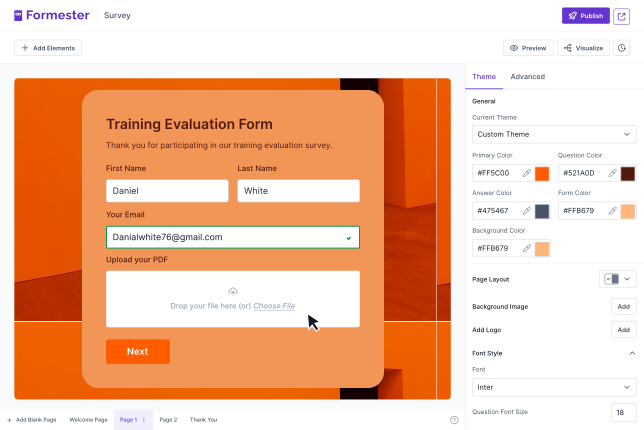
Customize every detail

  • Fully brand your forms with logos, colors, fonts, and layouts. icon Fully brand your forms with logos, colors, fonts, and layouts.
  • Customize redirect pages, notifications, and emails without coding. icon Customize redirect pages, notifications, and emails without coding.
  • Enjoy a modern, intuitive interface that is easier to use. icon Enjoy a modern, intuitive interface that is easier to use.
Better UI screenshot

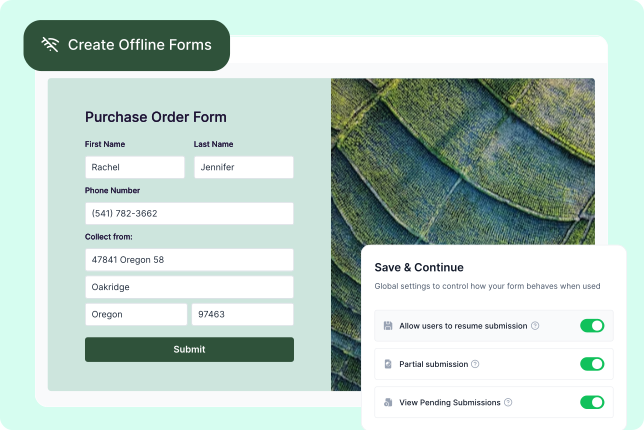
Get more for free

  • Collect payments, e-signatures, and file uploads without paying extra. icon Collect payments, e-signatures, and file uploads without paying extra.
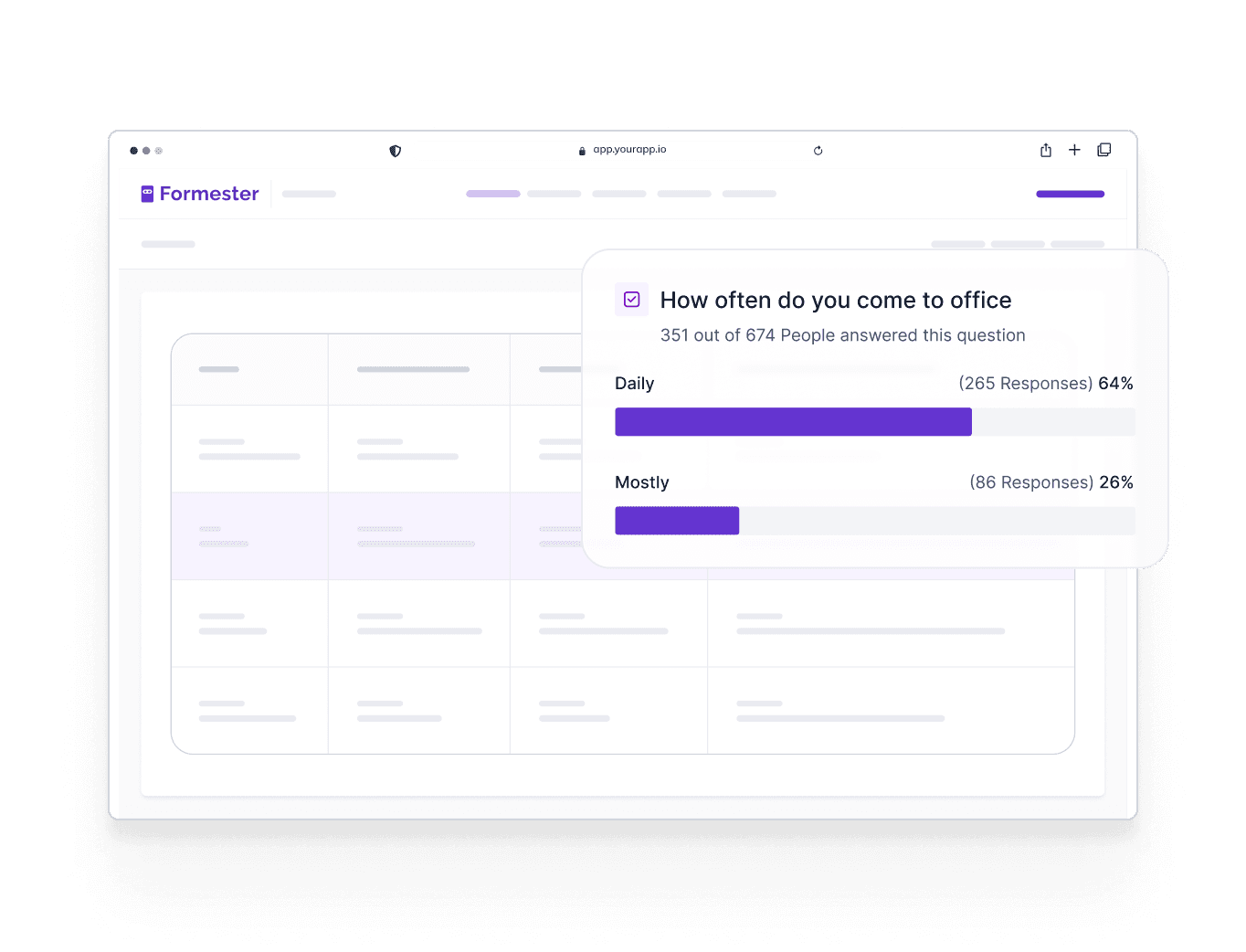
  • Use AI translations, conditional logic, and form analytics. icon Use AI translations, conditional logic, and form analytics.
  • Access PDF generation, appointment scheduling, and offline forms. icon Access PDF generation, appointment scheduling, and offline forms.
Advanced features screenshot

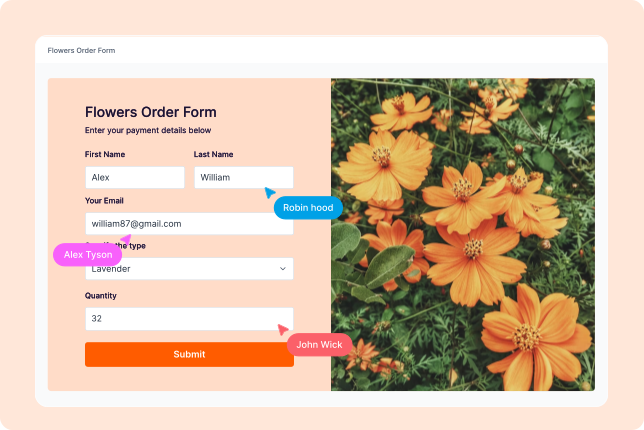
Create & submit forms together

  • Work with your team in real time. icon Work with your team in real time.
  • Assign roles, manage permissions, and stay aligned with shared dashboards. icon Assign roles, manage permissions, and stay aligned with shared dashboards.
  • Capture partial submissions and track responses collaboratively. icon Capture partial submissions and track responses collaboratively.
Team collaboration screenshot
Peabody
Aramark
Loreal
Toptal
Grab
SFU
World of Hyatt
Iolani School
Austin Independent School District
Virgin

Join 56,000+ happy users!

5/55 stars
4.4/54.5 stars
5/55 stars
4.7/54.5 stars

Formester Vs Microsoft Forms

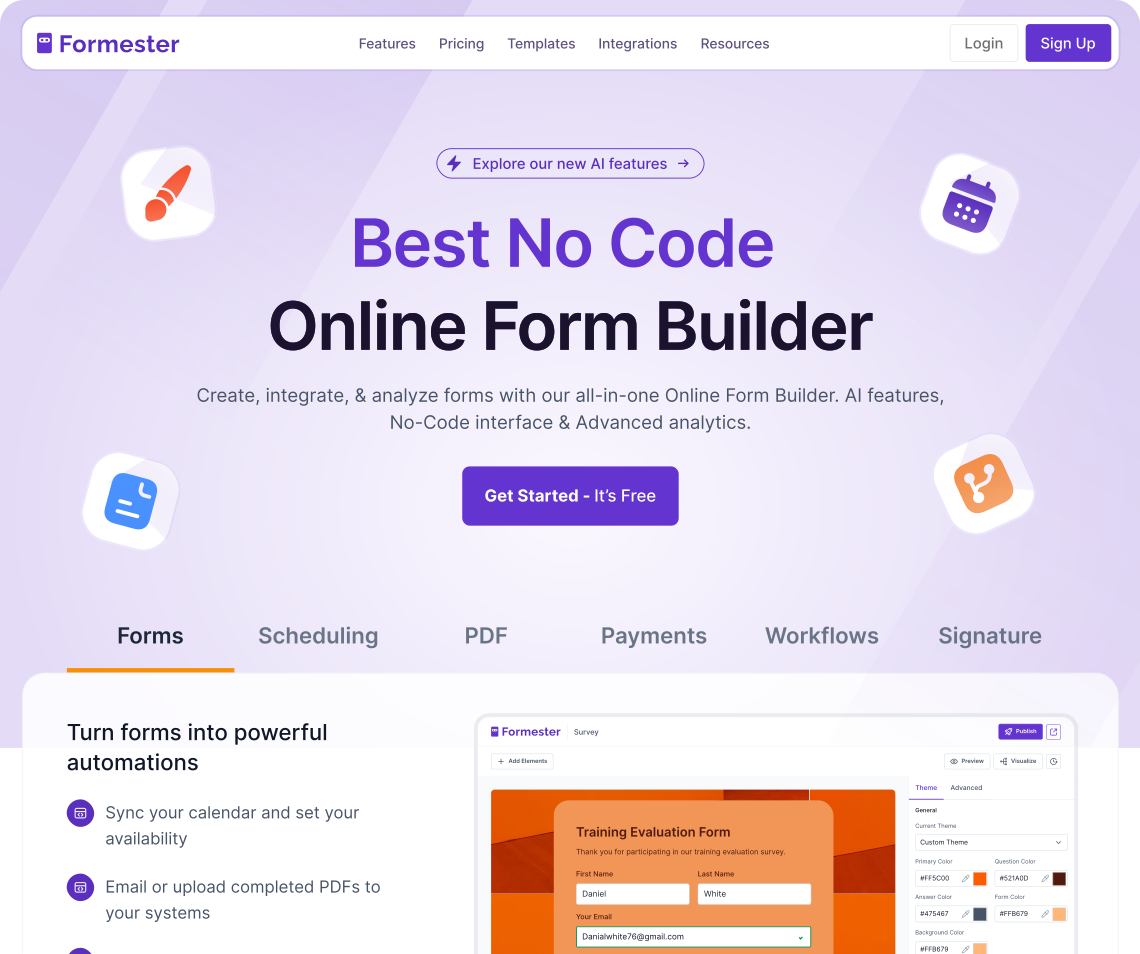
a screenshot of formester form builder

Formester

Formester is an AI-powered form builder with features like conditional logic, file uploads, multiple choice questions, and team controls. It's a top Microsoft Forms alternative for businesses that want better customization options and automation tools.

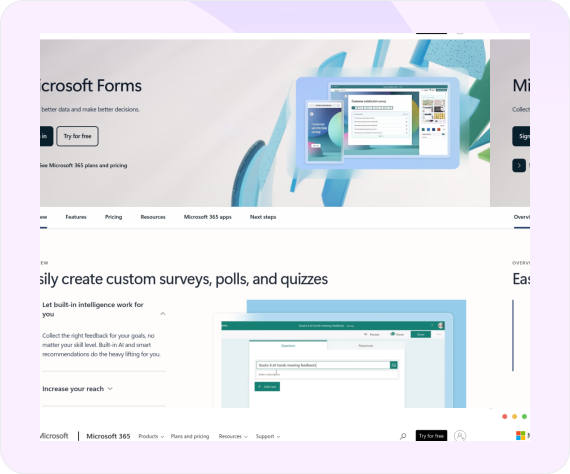
a screenshot of microsoft forms

Microsoft Forms

MS Forms is part of Office 365 and works well for basic forms and surveys. But if you need more advanced form fields, branding, or integration options, MS Forms includes fewer features. Formester gives you more control and flexibility for real-world business needs.

At a glance

Formester vs Microsoft Forms, in five attributes.

The deciders before you scroll the rest of this Microsoft Forms alternative comparison. Verified against Microsoft Forms's pricing page, May 2026.

Attribute Formester Microsoft Forms Verdict
Free response cap (personal) 100 / month 200 / form (cap, no monthly) Different model
AI form generator on free Yes No (Copilot is paid) Formester wins
Native payment collection Yes (free) No (no payment field) Formester wins
Custom domain / branded URL Personal+ No (Microsoft branding only) Formester wins
Offline form mode Yes (PWA install) No native offline app Formester wins

Pricing and feature data verified May 2026. Always re-check live pricing pages before signing a contract.

The honest read

Why teams leave Microsoft Forms.

Four reasons teams switching to Formester have given us. Sourced from G2, Capterra, Reddit reviews and vendor pricing pages, not made up.

Free personal accounts cap at 200 responses, no file upload.

Microsoft Forms on a personal account stops at 200 responses per form and does not allow file upload fields. Anyone running a serious form on a free Microsoft account hits a wall fast.

Dossier: Microsoft Forms weaknesses, 200-response personal cap.

Branding and layout customization are limited.

Forms are styled inside Microsoft's templates. There is no custom domain, no full theme control, no removable branding. The form always looks like Microsoft Forms.

Dossier: "Branding and layout customization limited."

No native offline app, no advanced payment or integration layer.

Field teams collecting data without internet connectivity have no native option. Payment collection requires a third-party tool. Integrations beyond Excel and Power Automate are limited.

Dossier: Microsoft Forms weaknesses.

Question count caps at 100 with a 4,000 character text limit.

Long forms (research questionnaires, application packets) hit the 100-question ceiling. Long-form text answers get truncated at 4,000 characters. Either ceiling can quietly break a workflow.

Microsoft Forms service description, April 2025 update.

Free plan

Free plan: Formester vs Microsoft Forms, side by side.

What each free plan actually lets you do, line by line. Verified against the live pricing pages, May 2026.

Feature Formester Free Microsoft Forms Free
Monthly response cap 100 200 / form (personal)
Forms allowed 10 No explicit cap (per-user limits apply)
File upload on free personal Yes (100 MB) No (paid only)
AI form generator Yes (free) No (Copilot on paid M365)
Conditional logic Limited; full on Personal Yes (section branching)
Question count cap No cap 100 questions / form
Long-text answer cap No cap 4,000 characters
Native payment collection Yes (free) No
Custom branding / domain Brand removal on Personal+ Microsoft branding only, no custom domain
Offline form mode Yes (PWA install) No native offline
REST API Yes (Business) Limited (Power Automate)
Pricing

Microsoft Forms vs Formester pricing, plan by plan.

Annual billing displayed where applicable. Re-verified against Microsoft Forms's live pricing page, May 2026.

Tier Formester Microsoft Forms Note
Free $0 · 100 responses/mo, 10 forms, AI generator, payments, custom branding on paid $0 · 200 responses/form (personal account), no file upload Different limit shape
Entry paid Personal · $12/mo annual, 1,000 responses, full conditional logic, brand removal Microsoft 365 Personal · ~$6/user/mo (bundled with Word/Excel/etc) MS Forms is bundled with M365
Mid tier Business · $45/mo annual, 15,000 responses, 25 seats, REST API + MCP Microsoft 365 Business Standard · ~$12.50/user/mo Different model: M365 buys the whole suite
Top tier Enterprise · custom E5 / A5 suites · bundle pricing M365 enterprise tiers
Paid features

Microsoft Forms vs Formester paid features, line by line.

What unlocks on each tool's paid plans, grouped by what teams searching for an alternative actually upgrade for. Verified against live pricing pages, May 2026.

Feature Formester (Personal $12 / Business $45 monthly, billed annually) Microsoft Forms (bundled with Microsoft 365 plans)
Volume and seats
Entry-paid monthly response cap 1,000 (Personal) 1,000+ on M365 Personal paid
Mid-tier monthly response cap 15,000 (Business) Up to 5,000,000 per form on Business / Edu
Team seats (mid tier) 25 (Business) Per-user M365 license
File storage (mid tier) 50 GB (Business) Per-user OneDrive / SharePoint
Logic and form behavior
Conditional logic depth Full field-level rules (Personal+) Yes (section branching only)
Question count cap No cap 100 questions per form
Long-text answer cap No cap 4,000 characters
Multi-language forms Yes; AI translation 180+ languages on Business Partial / not confirmed
Branding and distribution
Brand removal Personal ($12/mo annual) No (Microsoft branding stays)
Custom domain / subdomain Custom subdomain on Personal; full on Business No; embed only
Native iOS / Android apps PWA install (free) No separate app; via M365 mobile
Offline form collection Yes (PWA, free) No native offline; M365 platform features
Developer and AI surface
AI form generator Yes (free) Copilot (paid M365 only)
Native payment collection Yes (free) No (no payment field)
REST API Webhooks free; full REST on Business Limited; primarily Power Automate
MCP server (Claude / ChatGPT / agents) Yes (Business) No
E-signature File upload field No native; workarounds only
Compliance and security
GDPR / UK GDPR / CCPA Yes Yes (M365 platform)
SOC 2 / ISO 27001 Not certified yet Yes (M365 platform)
HIPAA Not certified yet Yes (eligible M365 plan + BAA)
Encryption at rest + TLS in transit Yes; AES-256 via Stripe Yes (Azure encryption)

Pricing and feature data verified May 2026 against the live pricing pages. Re-verify before a contract decision.

Where the comparison gets specific

Logic, integrations, and offline: Formester vs Microsoft Forms.

The three dimensions teams searching for a Microsoft Forms alternative tell us actually drove the switch. Specific behavior, not feature-list checkmarks.

Conditional logic that actually branches.

Field-level show / hide / require / route rules across multiple inputs, calculations, and route-on-submit. Unlocks on Personal at $12 per month, billed annually. Microsoft Forms supports section branching only — you can branch a section based on the answer to one question, but multi-input field-level rules are not in the product.

Formester Field-level rules across multiple inputs (Personal+)
Microsoft Forms Section branching only

Integrations and AI agent surface.

Native HubSpot, Google Sheets, Slack, Stripe, PayPal, Calendly, n8n, Pabbly, OttoKit, GA4, GTM. Webhooks fire on every plan. REST API v2 on Business plus an MCP server. Microsoft Forms is M365-first: Excel, Power BI, Teams, SharePoint integrate natively, but external integration is mostly Power Automate.

Formester 11+ native + webhooks + Zapier + REST + MCP server
Microsoft Forms M365-only (Excel, Teams, Power BI, SharePoint); Power Automate for the rest

Offline forms that ship as installable apps.

Formester forms install as a PWA on phones, tablets, and laptops. Submissions queue on the device and sync when the network returns. Free plan, no app store install. Microsoft Forms has no native offline app — responses require a live connection to record.

Formester PWA install, offline collection, auto sync (free and up)
Microsoft Forms No native offline app
For developers

Your form data, ready for the AI you already use.

Every Formester form ships with a REST API and an MCP server. Submissions don't stop at a CSV. The Microsoft Forms alternative built for teams running AI agents on top of their data.

MCP server

Plug Formester into Claude, ChatGPT, or any MCP-compatible model.

Claude ChatGPT Custom agents

Connect Formester to any MCP-compatible model and let it read your form submissions directly. Ask Claude "which leads from this week's form look highest fit?", or have a custom agent score job applications against the role brief and flag the top candidates for the recruiter.

Read the MCP docs →
REST API v2

Or build directly on the REST API.

Self-service token Webhooks Business plan +

Pull form submissions into your data warehouse, push pre-filled form URLs back from your CRM, or build a custom enrichment pipeline. Self-service token at app.formester.com/api in two clicks. No support ticket, no waiting.

Read the API docs →
Why teams switch

Why teams choose Formester over Microsoft Forms.

Eight reasons buyers searching for a Microsoft Forms alternative tell us they made the switch. Each item ties to a specific Formester plan or feature, not a marketing line.

AI form generator on the free plan

Type a prompt, drop in a PDF, or paste a question list. Formester drafts the form in seconds. Available on the free plan, before you decide to pay.

Native payments included on the free plan

Stripe and PayPal integration on day one. No add-on, no upgrade. Most teams switching from Microsoft Forms cite this as the deciding feature.

Conditional logic on Personal at $12/mo annual

Field-level rules across multiple inputs, not just section branching. Show, hide, skip, route, calculate. Available on the entry paid plan.

REST API + MCP server for AI agents

Hosted REST API on Business and an MCP server that plugs into Claude, ChatGPT, or any compatible model. Read your form data from the AI you already use.

Offline forms that install as PWAs

Field teams collect responses without a connection. Submissions store on the device and sync when the network returns. Available on the free plan, no app store install.

Custom domain on Business, branded URL on Personal

Forms live on your domain, not a vendor URL. Personal unlocks a custom subdomain; Business unlocks the full custom domain.

Multi-language with AI translation

180+ languages supported via AI translation on Business. One source form, the respondent picks their language at the top, edits stay in sync.

Privacy-first: no AI training on your data

GDPR, UK GDPR, and CCPA compliant. Customer Data is not used to train AI models, run advertising, or feed analytics. DPA section 4.4. We are honest about what we do not certify yet (SOC 2, ISO 27001, HIPAA).

Migration

How to switch from Microsoft Forms to Formester in 3 steps.

From "I want to leave Microsoft Forms" to "the new form is live" without losing data or missing submissions.

Export your forms and responses to Excel.

In Microsoft Forms, open the form → Responses → Open in Excel. Each form's responses download as an .xlsx file. Save the question list (you'll re-use it in step 2).

Time: 3 to 5 minutes per form.

Rebuild with the AI form generator.

Sign up for Formester (free, no card). Open the AI form generator and paste your question list. The generator drafts field types, conditional logic, and validation. Add file upload fields, payments, and conditional rules that Microsoft Forms could not handle. Apply your branding.

Time: 10 to 20 minutes per form.

Re-point Power Automate or replace with Formester native flows.

If you used Power Automate flows triggered by Microsoft Forms, update them to use Formester's webhooks instead, or replace with Formester's native integrations (Slack, Google Sheets, HubSpot, n8n). Confirm one test submission, then archive the Microsoft Forms form.

Time: 15 to 30 minutes.

Honest comparison

When Microsoft Forms is still the better choice.

Two real cases where Microsoft Forms beats Formester. We are the alternative for the rest, and that is okay.

Your organization is fully on Microsoft 365.

  • Microsoft Forms is included in many Microsoft 365 plans at no extra marginal cost. If you already pay for M365, the form layer is free at the org level.
  • Deep integration with Excel, Power BI, Teams, and SharePoint means responses flow into the rest of the Microsoft stack without glue work.
  • Response ceilings up to 5 million per form on the right M365 tier.
  • Honest tradeoff: if your team lives entirely in M365 and needs nothing beyond Excel + Teams, Microsoft Forms is the right call.

You need governance, compliance, and standardization on M365.

  • M365 carries SOC 2, ISO 27001, GDPR, and HIPAA-eligible plans at the platform level. Microsoft Forms inherits that posture.
  • If your buying committee already approved M365 as the data platform, adding another vendor is a procurement hurdle.
  • Copilot can analyze form responses inside the Microsoft stack without exporting data elsewhere.
  • Honest tradeoff: that compliance + governance answer is real. We're a fit when you need offline collection, AI form generation, payments, or a brandable form.

Get more done!

lead capture

Lead Capture Forms

Build smarter lead forms with conditional logic, file uploads, and seamless integrations. Qualify leads instantly, connect your form to CRM tools, and even collect payments.

Quizzes and Interactive Forms

Quizzes and Internal Training

Build interactive quizzes and training assessments with drag and drop ease. Add scoring, outcomes, and conditional logic to track progress, and measure knowledge.

Product Feedback and Surveys

Customer Surveys and NPS Forms

Create engaging customer surveys using AI. No need to add questions manually, just enter a prompt and let AI handle the rest.

employee onboarding

Employee Onboarding and Feedback

Create onboarding forms with forms select questions, branded design, and automation. Perfect for mobile devices and Microsoft 365 teams managing internal workflows.

Privacy and data ownership

Your form data is yours. We don't train on it.

The prompts you write, the AI-generated form structures, and the responses respondents submit are all Customer Data. Per Section 4.4 of our Data Processing Addendum, Formester does not use Customer Data to train AI models, run advertising, run analytics, or feed marketing. The Google Gemini integration that drafts forms inherits the same boundary.

Your account is encrypted at rest, responses move over TLS, and payment data carries an additional AES-256 layer through Stripe. We are GDPR, UK GDPR, and CCPA compliant. We are not SOC 2, ISO 27001, or HIPAA certified yet, and we say so on the security page rather than implying otherwise. If your buying review requires those today, we'll tell you up front.

Quote icon

USER TESTIMONIALS

User Stories

Quotation marks

Tried like 4 quiz tools for our lead gen funnel before this and honestly this is the only one I didn't end up hating. AI did most of the work and the customization actually works.

a photo of Alex
AlexCustomer Success Manager at Orion Growth Partners
Quotation marks

Very intuitive and the surveys look genuinely professional out of the box. Most importantly, I requested a custom rating scale and they shipped it within hours. Stellar support that is hands-down better than the Jotform.

a photo of Chris
ChrisOperations Lead at SummitCloud Software
Quotation marks

Formester is simple enough for non-developers and sophisticated enough for developers. I'd say being able to choose between simplicity and complexity is one of this product's strengths. In addition, the founder is available to answer questions and doubts, which does not happen every day.

a photo of costanza casullo
Costanza CasulloVolunteer at Wato Coding Hub
Quotation marks

I'm migrating my forms from Paperform, where I've been a user for over 4 years. Loving the software so far! I've already replaced Paperform form embeds & popups on my sites & my husband's websites with Formester forms

a photo of dr michele
Dr. Michele RossFounder at Infused Health
Quotation marks

Formester AI form builder has lots of customisation options. It's very easy to generate online forms. Forms generated are also very user friendly it supports both mobile and desktop version. It also allows us to build our own custom themes. File upload is also possible in surveys. I love the simplicity with which I can create forms within couple of minutes without any coding knowledge. The UI is very attractive and easy to use. No prior experience is required to use it.

Deepika K - Formester Happy User
Deepika KBusiness Development Executive at

Try Formester for what Microsoft Forms can't do.

Free includes the AI form generator, payments, and offline forms. The branding and field caps Microsoft Forms imposes do not apply. Two minutes, no credit card.

Get Started – It's Free!

FAQs

MS Forms covers the basics. However, Formester allows you to create smarter surveys. It offers conditional logic, file uploads, and flexible customization options. It serves serious data collection across mobile devices and teams.

Two ways. Use the AI form generator: paste your Microsoft Forms link or upload a PDF copy and Formester rebuilds the questions in seconds. Or rebuild manually in the drag-and-drop editor and copy your existing question text. Either way, plan for a few minutes per form, not hours.

Microsoft has not announced an end-of-life for Microsoft Forms. The product still ships inside Microsoft 365. The reason most teams research alternatives is that Microsoft Forms has not added native payments, offline support, or advanced conditional logic, while standalone form builders ship those features in their free plans.

Microsoft Forms is not sold standalone. A free Microsoft personal account gives you Microsoft Forms with a 200-response cap per form and no file upload. To get the 1,000-response cap, file uploads, or business sharing, you need a paid Microsoft 365 license. Formester's free plan is standalone and gives you 100 responses per month, 10 forms, the AI form generator, and payment collection.

For organizations already paying for Microsoft 365, Microsoft Forms wins on price (it is bundled). For everyone else, Jotform wins on templates (20,000+) and e-signature, but its lowest paid tier starts around $34 per month. Formester sits between them: free standalone with conditional logic, payments, and AI generation, with a paid Personal plan at $13 per month.

Yes. Formester replaces Microsoft Forms surveys with the AI survey generator and the standard form builder. It replaces Microsoft Forms quizzes with the AI quiz maker, weighted scoring, negative marking, retake limits, and the @score variable on the thank-you page. Conditional logic routes respondents to different result pages based on score.

Microsoft Forms is a Microsoft 365 service. It uses your tenant identity, stores responses in the tenant data boundary, and is governed by the same admin policies as Excel and Teams. That is the design choice. The cost is that anyone outside your tenant cannot edit a form with you, and free personal accounts get a stripped-down version.

Microsoft Forms has no native payment field. You can take payments inside Formester forms with Stripe or PayPal on the Free plan upward. Set the price as a fixed amount, a per-item amount tied to a choice field, or a calculated amount tied to a quantity field.

Formester forms install as a web app on phones, tablets, and laptops. Respondents can submit without internet and the responses sync when the device is back online. Microsoft Forms is online-first; offline submission is not officially supported.

Microsoft Forms has Copilot question suggestions on Microsoft 365 paid plans. Formester ships an AI form generator on every plan, including Free, that builds the form from a prompt or a PDF. Formester also exposes an MCP server, which means Claude, ChatGPT, and any MCP-compatible AI agent can read submissions directly. Microsoft Forms does not.